UP TO THE MINUTE







How to (Really) Put Your Roofing Company on the Map
By LMH Agency
Optimize your SEO and increase your customer base when you invest in Apple’s Map Pack.
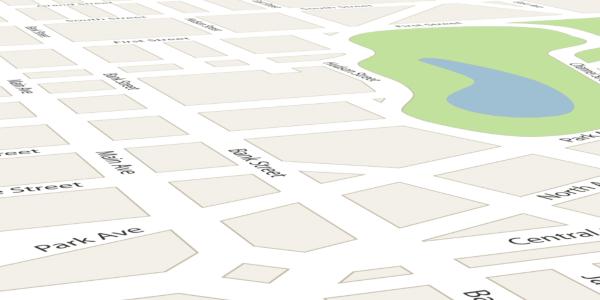
Apple Maps has finally made it easier than ever to list your business and provide even more visibility on a platform that 45 percent of people use each day.
Similar to Google Business Profile, Apple’s Business Connect is easy to set up and allows you to optimize your SEO by adding lists of your services and locations, writing custom messages, and including business photos or videos. If you’re not out there yet, here’s exactly how to get started!
What is Apple’s map pack?
Apple Map Pack is a feature of Apple Maps that shows your business’s information to potential customers. It includes a business’s name, address, phone number, website and other relevant details that are pretty standard.
The reason we think Apple Map Pack is so huge is because it improves your local SEO rankings, as Apple Maps is an important source of local search results. Just think about how many times you search for a business using the map app on your iPhone. If you’re a business that serves a local community – get on this! If
The more visibility a business has on Apple Maps, the more likely it is to be found in local search results, which can lead to more customers.
One of our clients recently shared:
I have been using Apple Maps Pack for a few months now, and I am incredibly impressed. The maps are incredibly detailed, and the directions are spot on. I have never had an issue finding my way anywhere, and the app is incredibly easy to use. The best part is that it is completely free, which is a huge plus. I highly recommend Apple Maps Pack to anyone looking for an easy-to-use and accelerated mapping app.
How do you get started?
Super simple. To get started using Apple Map Pack, first, download and install the app from the App Store. Once the app is installed, open it and follow the on-screen instructions to set up the map pack. Depending on the version of the map pack you’re using, you may need to sign in with your Apple ID or configure a few settings before you can start using the app. Once everything is set up, you can explore the maps, search for places, and use the other features that the map pack offers.
Once you’re set up on Apple Maps, ensure you’re good to go on the Google local map pack too. If you’re not set up there yet either, here’s a quick process for getting started:
- Go to Google My Business (https://www.google.com/business/) and click the “Start Now” button.
- Sign in with your Google account.
- Enter the name of your business.
- Enter your business address.
- Select a business category from the list.
- Enter a contact phone number and website URL (if applicable).
- Click the submit button to finish the setup.
- Once your business is verified, you can add additional information, such as images, hours of operation and more.
- After verifying your business, it will appear on Google Maps and the local map pack.
As always, if you need support with this, you’re welcome to reach out to us at lmh.agency/contact, and we’ll be happy to help!
Original article source: LMH Agency
Learn more about LMH Agency in their Coffee Shop Directory or visit LMH.Agency.
Recommended For You

Connect the Right People With The Right Jobs
Read More ...
Portable Rollforming Machine Training Sessions: Why They’re Important and What to Expect
Read More ...
Why investing in contractors matters more than ever
Read More ...
UP TO THE MINUTE
Comments
Leave a Reply
Have an account? Login to leave a comment!
Sign In